Account Segment Coding Relationship lets users build a Financial Edge NXT account number by selecting its segments separately in Ramp. As users make their selections, Ramp filters the available choices based on the coding relationships synced from Financial Edge NXT.
What changes in Ramp
Before this setting is enabled, users select the full account number from Accounting Category, such as 01-5760-06.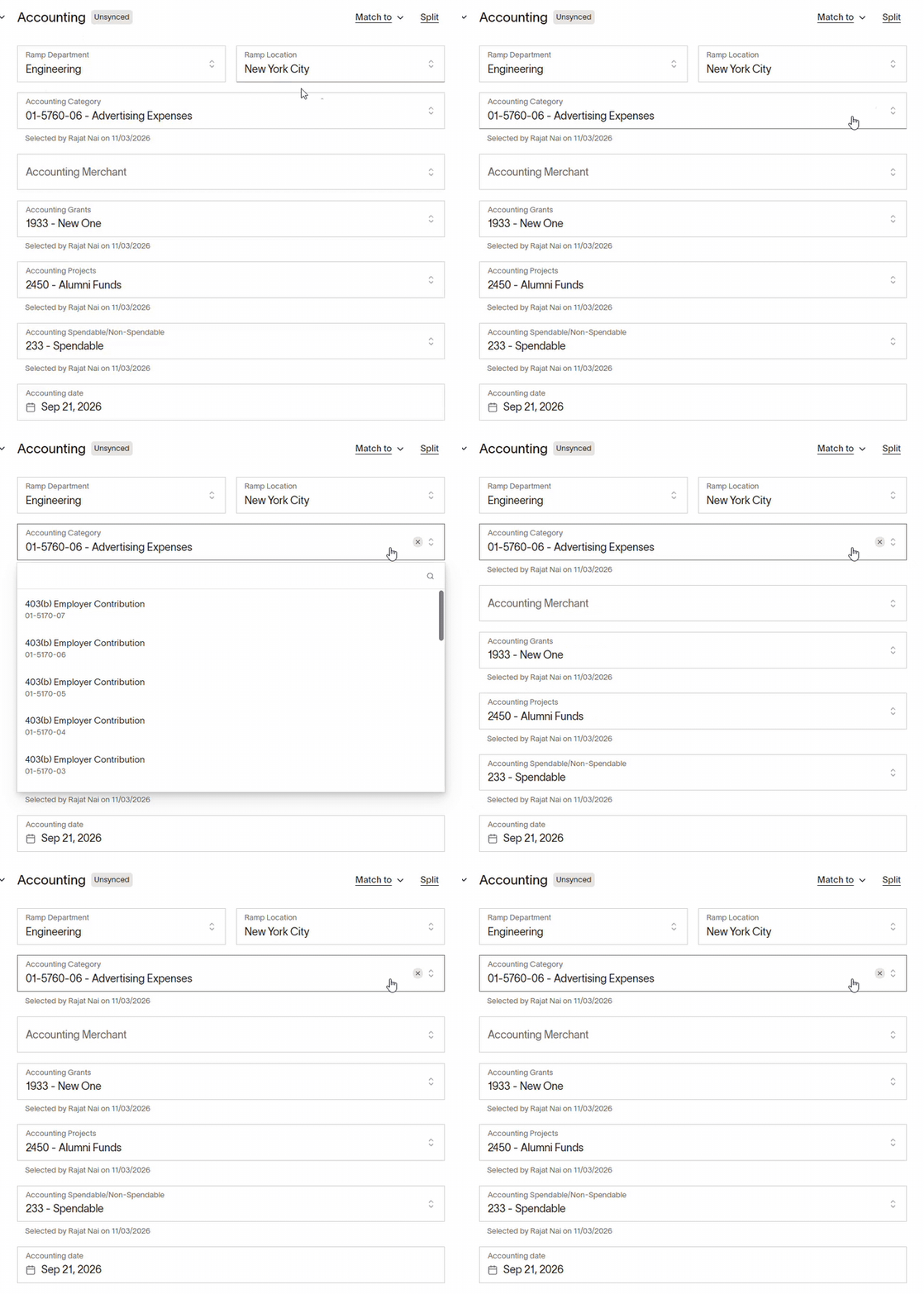
After it is enabled, the account is split into separate fields. Users choose the segments in the order they appear in the Financial Edge NXT account number, from left to right. Ramp uses the coding relationships to filter the available choices as users work through the segments.
Warning: Ramp Plus is required for this feature and the flag “Project Cross TC filtering” must be enabled on your Ramp account. Please confirm with your Ramp representative that this is enabled before proceeding.
*BEFORE YOU BEGIN- Already coded transactions will need to be coded again. Enabling Account Segment Coding Relationship removes the existing Accounting Category from transactions that have already been coded in Ramp. You will need to code those transactions again using the new account segment fields.
Enable Account Segment Coding Relationship
1 Open Danger Zone
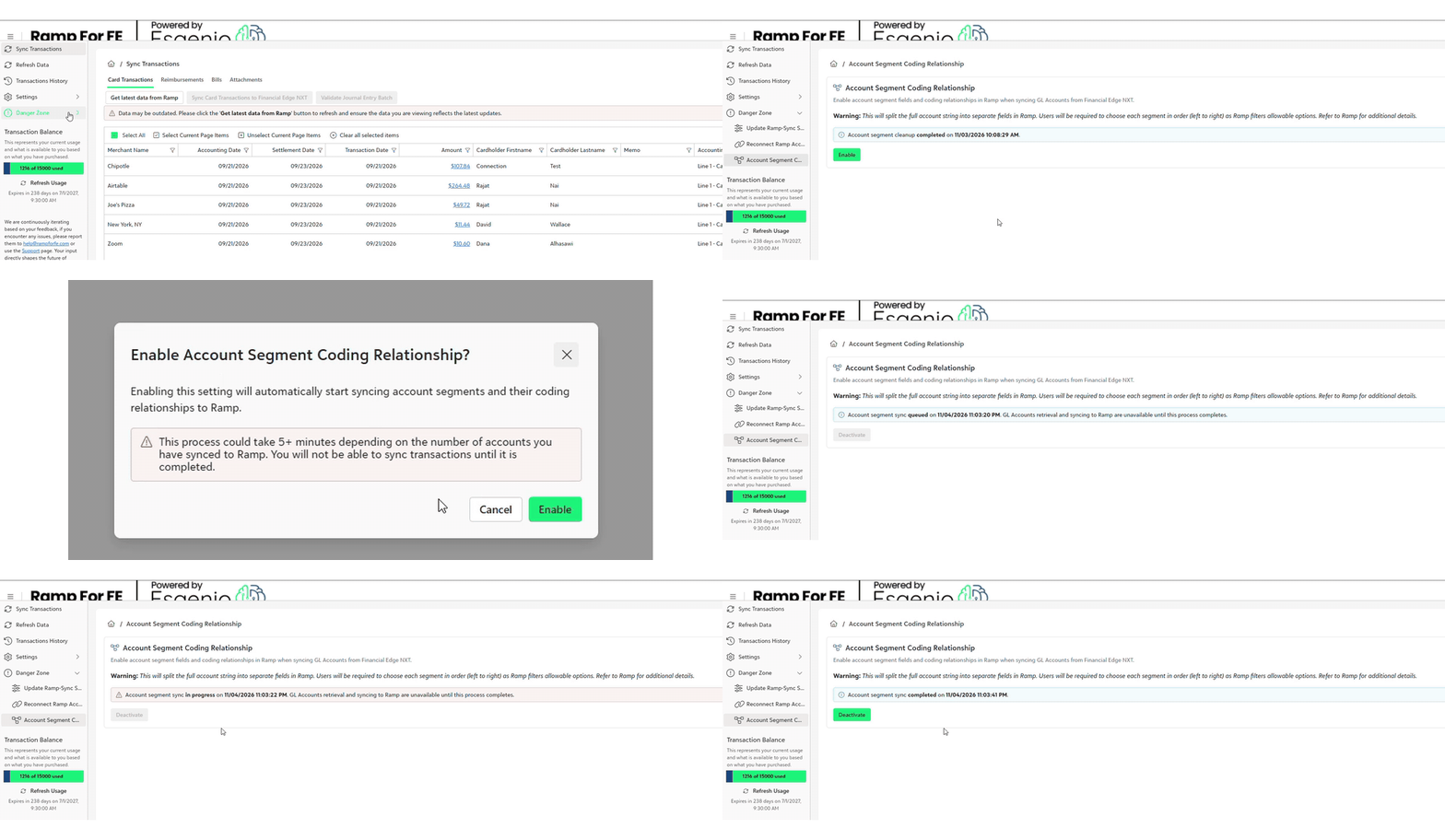
In Ramp for FE, expand Danger Zone in the left menu and select Account Segment Coding Relationship.
2 Enable account segments
Click Enable. A confirmation window explains that account segments and their coding relationships will be synced automatically.
Review the message, then click Enable in the confirmation window to start the process.
3 Wait for the sync to finish
Allow the process to complete before attempting to sync transactions.
Select account segments in Ramp
Once setup is complete, open a transaction in Ramp and go to its Accounting section.
Select the first account segment, then work through the remaining segments in account-number order. Choose from the available options in each field.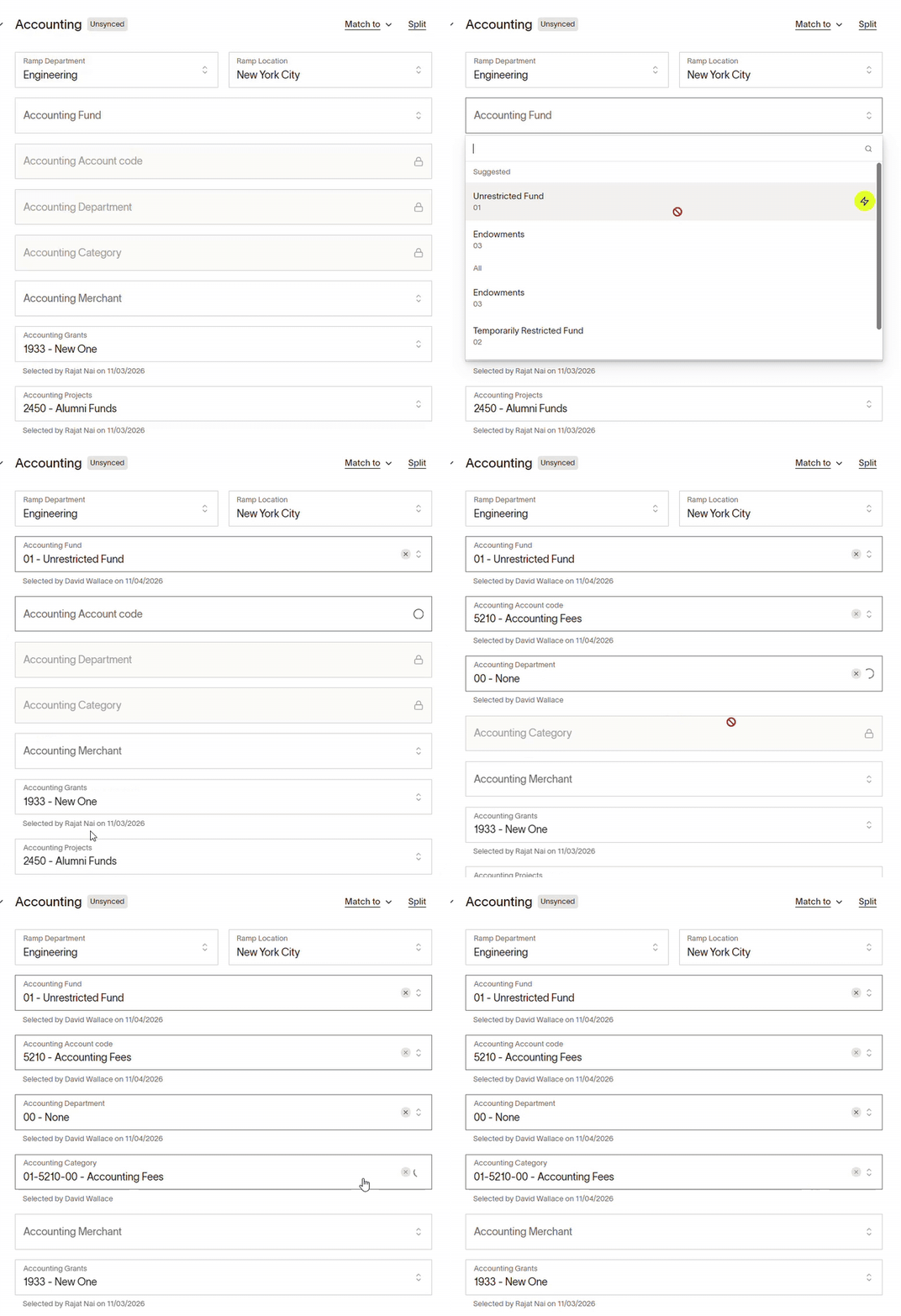
The segment fields and values you see depend on your organization's Financial Edge NXT account structure.
Was this article helpful?
That’s Great!
Thank you for your feedback
Sorry! We couldn't be helpful
Thank you for your feedback
Feedback sent
We appreciate your effort and will try to fix the article