Use Auth Integration to manage which external login providers users can use to sign in to your Ramp for FE environment. Users need an existing Ramp for FE account to sign in through an external provider. See Add Additional Authorized Users.
Enable an external login provider
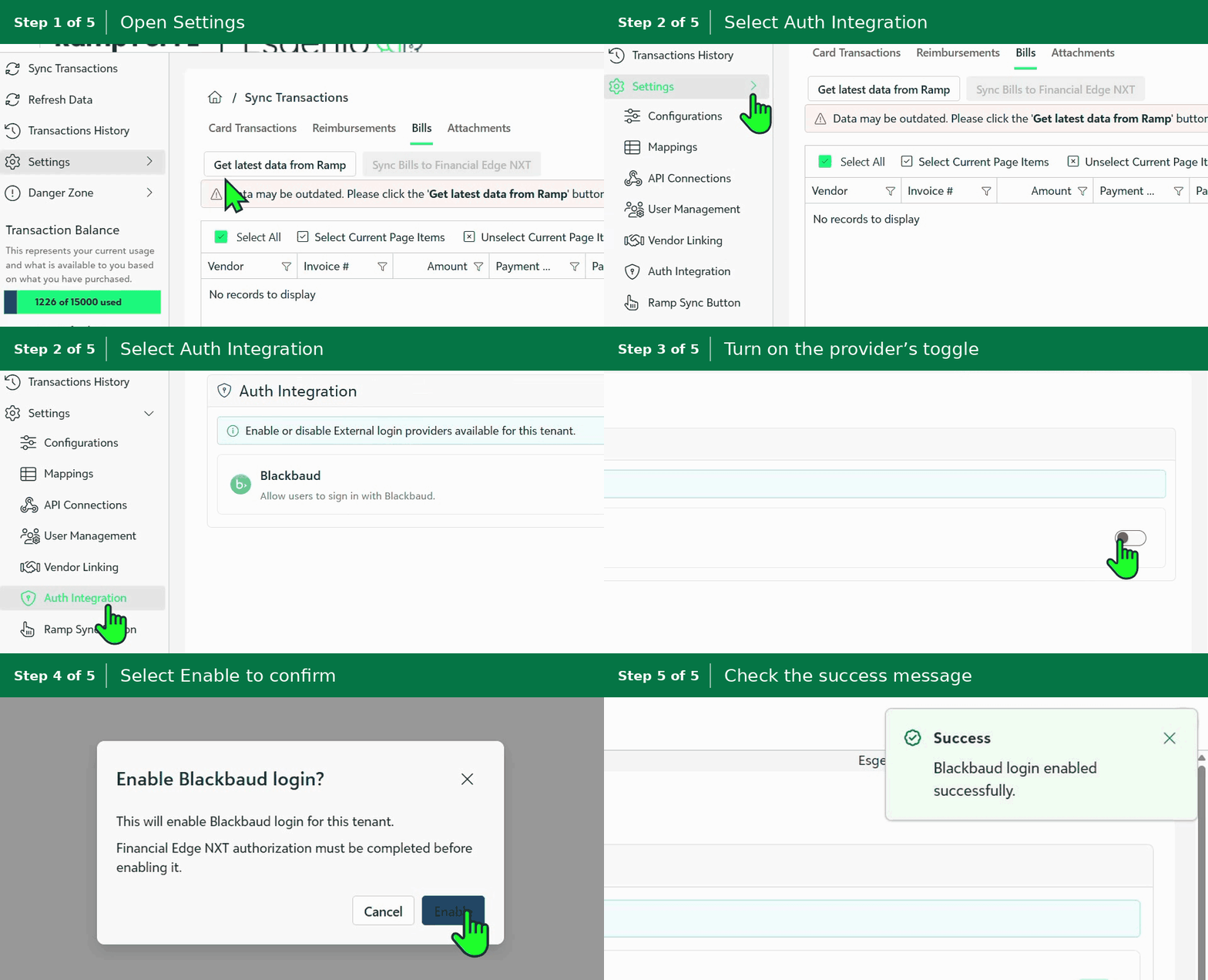
- In Ramp for FE, go to Settings → Auth Integration.
- Turn on the toggle next to the provider you want to enable.
- To verify the setup, open the Ramp for FE sign-in page and sign in using that provider.
Was this article helpful?
That’s Great!
Thank you for your feedback
Sorry! We couldn't be helpful
Thank you for your feedback
Feedback sent
We appreciate your effort and will try to fix the article