Overview
You can add additional users to perform transaction syncs or configuration changes by inviting them from the Settings area.
Before adding a new user, ensure they have the necessary permissions in both Ramp and Financial Edge NXT (FENXT):
Required User Roles and PermissionsTo set up the Ramp–Financial Edge NXT integration, you must have the following roles and permissions:
Ramp
To set up the Ramp–Financial Edge NXT integration, you must have the following roles and permissions:
Default Ramp Roles
- To connect Ramp for FE with Ramp, the user authorizing the connection must have the correct Ramp permissions.
Admin
Business Owner
The specific permissions required for Ramp roles can be found in the following KBA: Ramp for FE- Ramp Security Requirements : Ramp For F

Once the connection is authorized, a Ramp Admin can delegate permissions to users so they can perform FE operations in Ramp without full admin access as shown below.
Blackbaud Financial Edge NXT
Default Financial Edge NXT Roles
To authorize and manage the connection from the Blackbaud side, the user must have one of the following roles:
Solution Admin or custom role
Marketplace Organization Admin or custom role
The specific permissions required for Blackbaud roles can be found in the following KBA: Blackbaud FENXT Security Requirements
Want to enable Blackbaud Single Sign-On?
Send a request to our team with your Blackbaud Environment ID, and we can enable this for you.
Please note: Enabling Blackbaud Single Sign-On does not automatically give Blackbaud users access to Ramp for FE. Users must still be added directly to Ramp for FE as authorized users before they can access the application. Single Sign-On simply makes the login process easier by allowing authorized users to sign in using their Blackbaud credentials.
Adding a New User
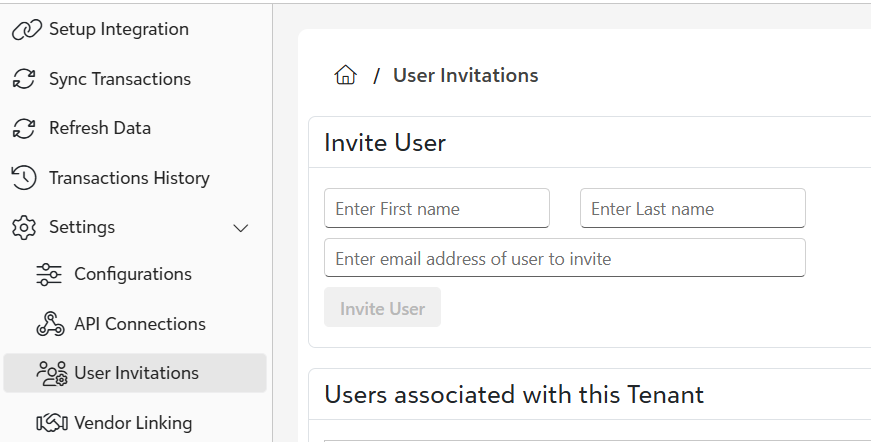
To add a new user, enter in their First Name, Last Name and email and click Invite User
Delegating Permission to the New User
After you add the user, click Enable to grant them access to perform Ramp FE operations without making them a Ramp admin.
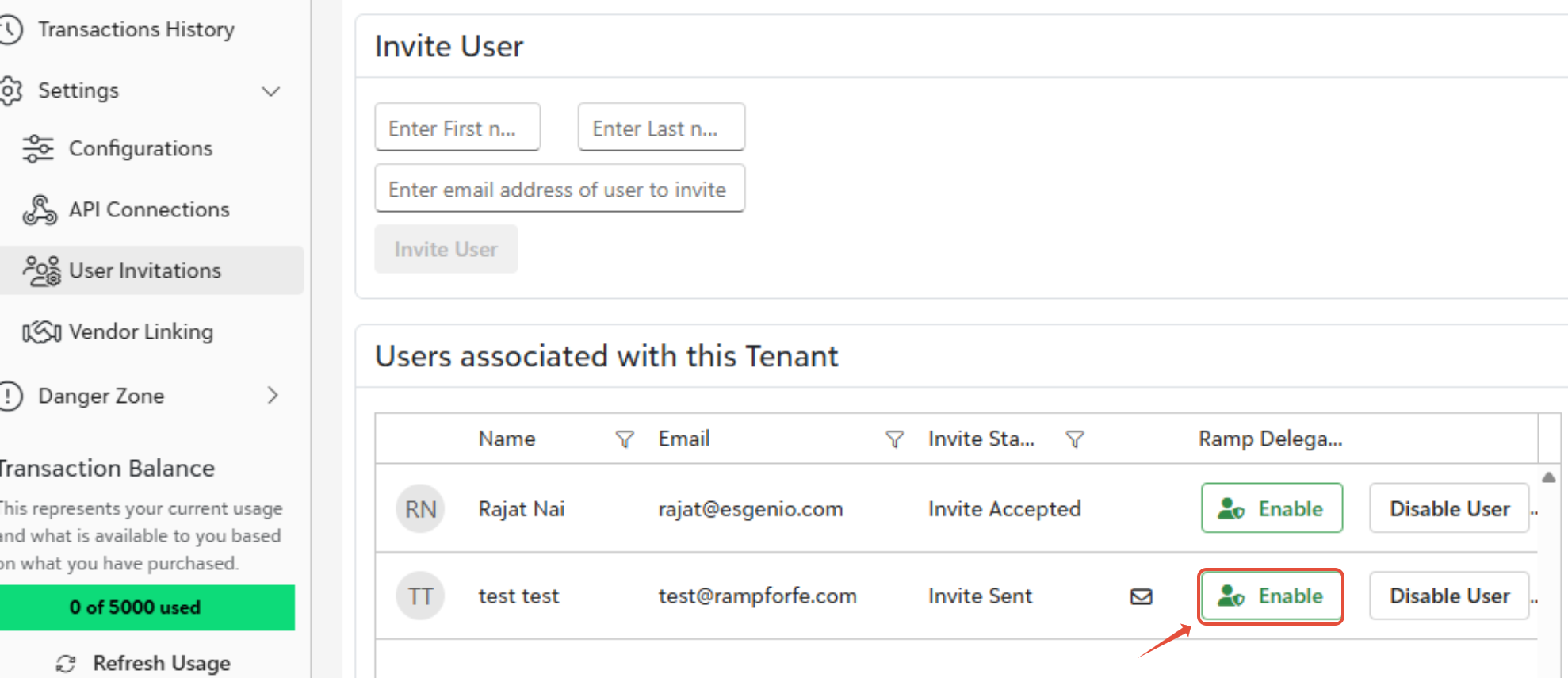
Important: Once the user has been invited, they will receive an email to login to access their account. Upon logging in they will need to Authorize FENXT and Ramp before continuing to use the syncing console Click here for the steps.
Was this article helpful?
That’s Great!
Thank you for your feedback
Sorry! We couldn't be helpful
Thank you for your feedback
Feedback sent
We appreciate your effort and will try to fix the article