Objective
This article explains how to reset an incorrectly synced transaction from Ramp, delete it in FE, and sync it again if needed.
This only works for Card Transactions and Reimbursements we cannot reset the sync status of a bill.
- Log in to Ramp.
- Go to Accounting.
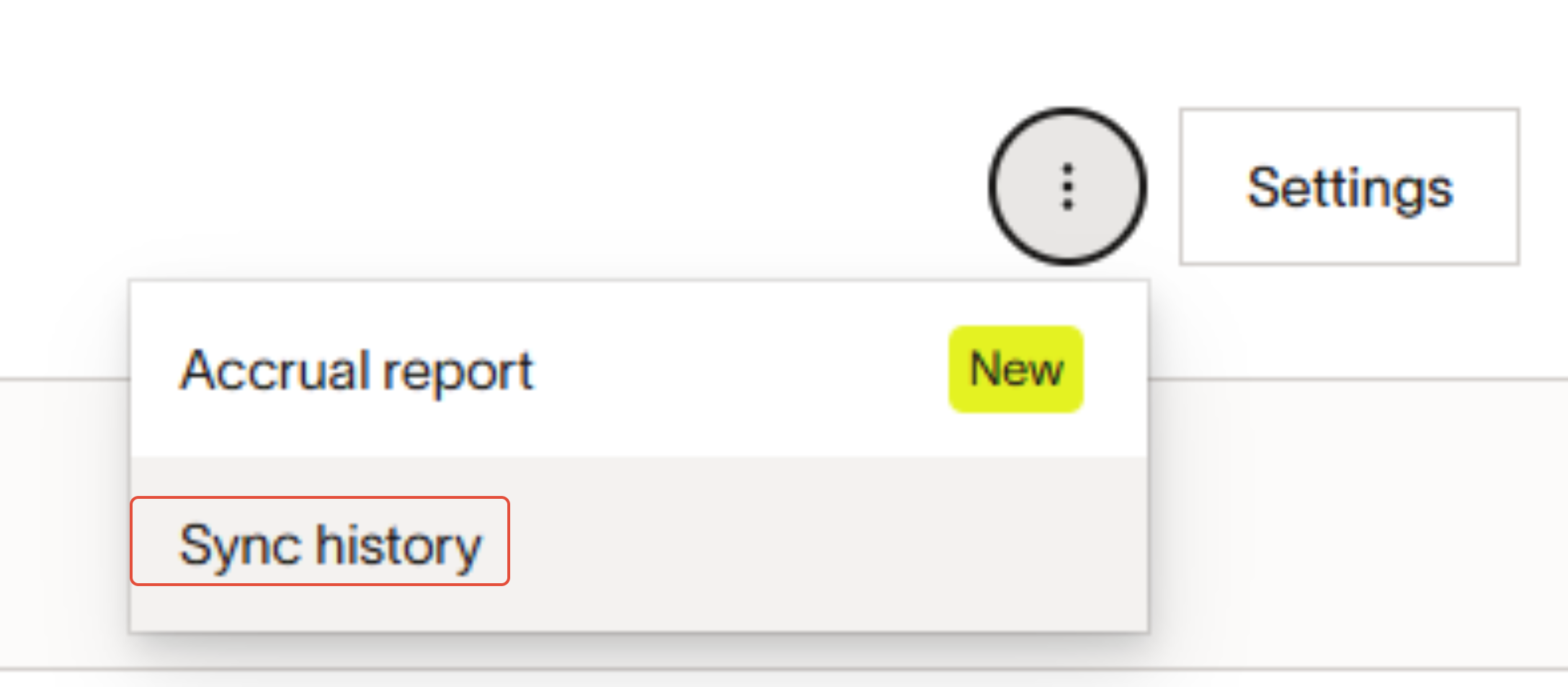
- In the top-right corner, click the three-dot menu next to Settings.
- Select Sync History.
- Locate the transaction that needs to be reset.
- Click Reset transaction to unsynced.
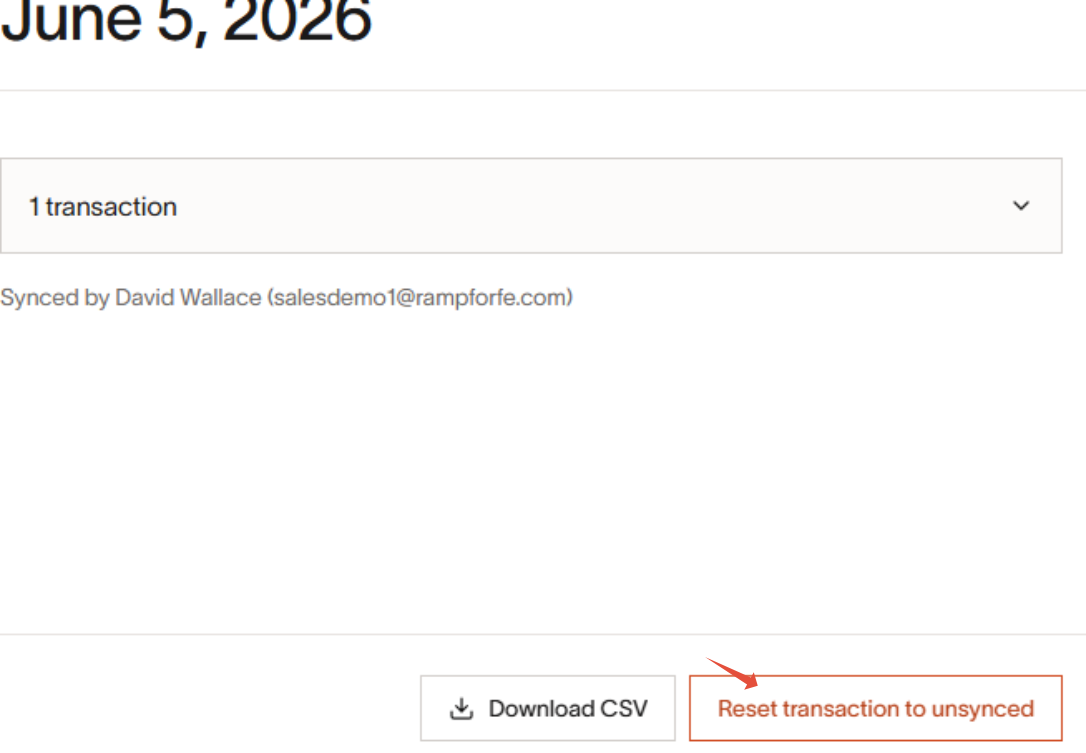
- Make sure to go to FE and delete or void the transaction.
Steps to resync the same transaction-
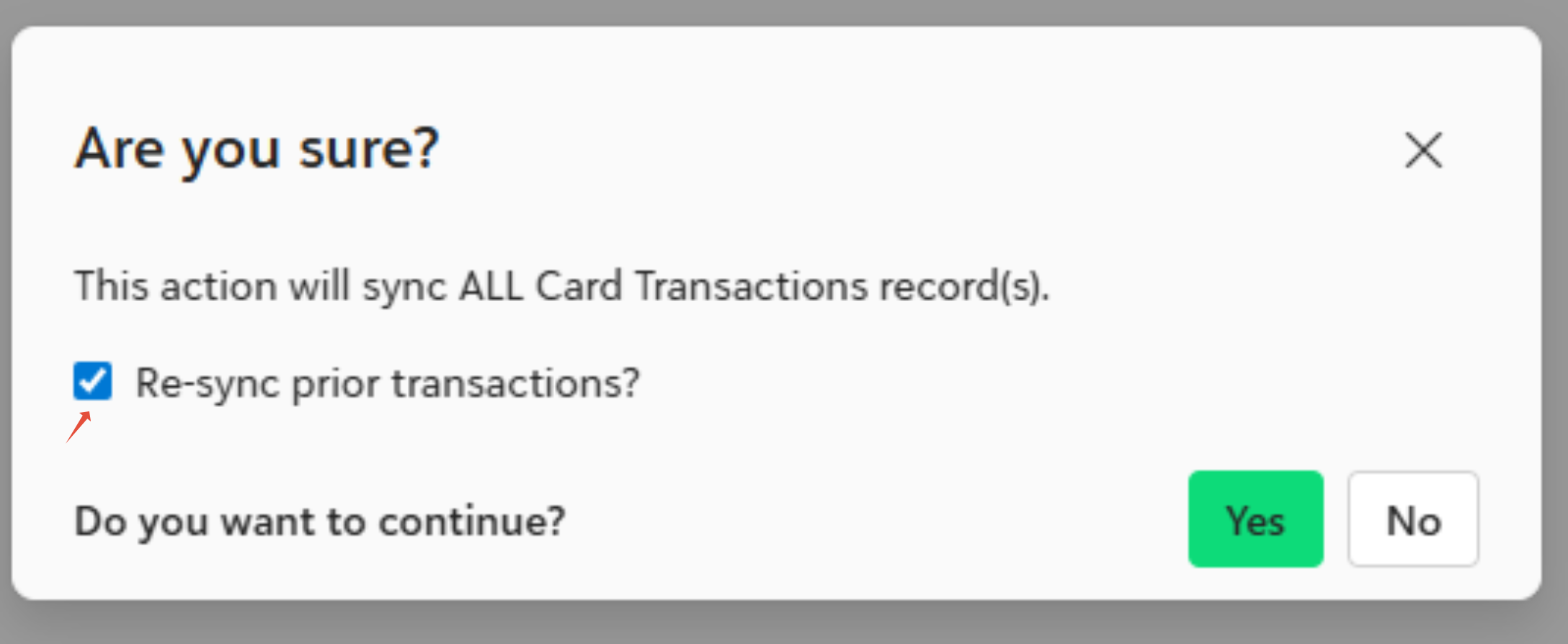
- Follow the regular transaction sync process. The only change is that when you click Sync Transactions to Financial Edge NXT in Ramp for FE, you must check the Re-sync prior transactions? option before continuing.
Was this article helpful?
That’s Great!
Thank you for your feedback
Sorry! We couldn't be helpful
Thank you for your feedback
Feedback sent
We appreciate your effort and will try to fix the article