Turn Off Credit Memos for Refunds
This setting controls whether refund transactions create vendor credit memos in AP or are recorded through a journal entry batch.
When to use this option?
- This configuration is useful for organizations that prefer to manage credit card refunds at the GL level rather than through AP credit memos.
Configuration details
You can update this setting from:
Settings → Configurations → Card Transactions
This option applies when the card transaction configuration uses:
Import Type = Invoice
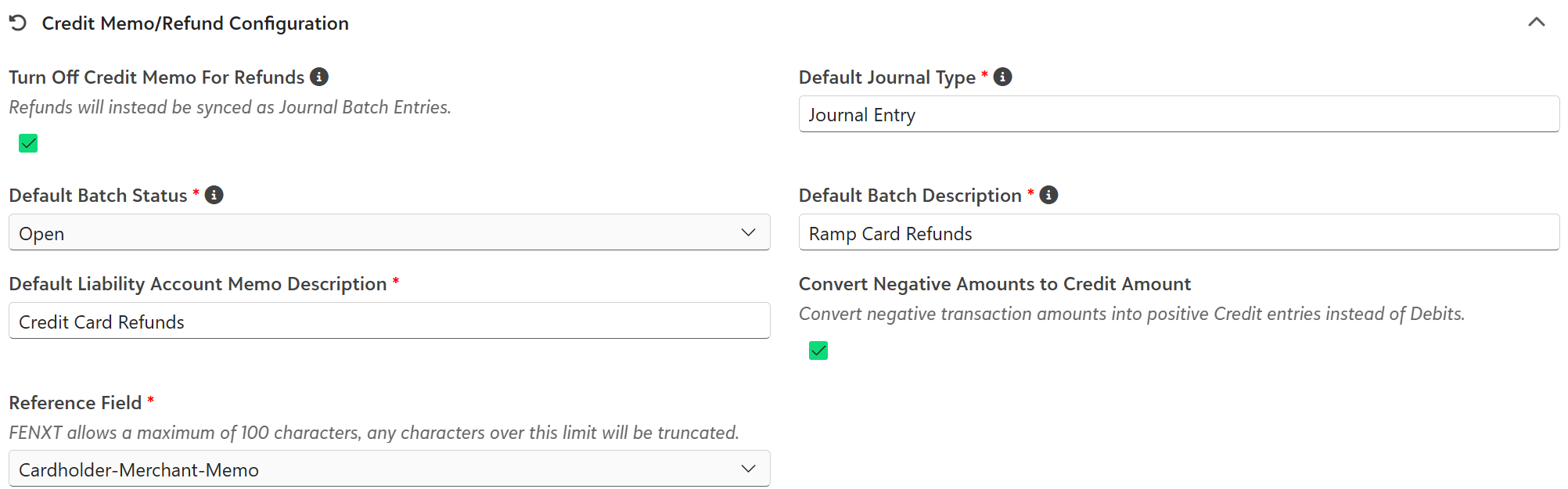
Option 1: Turn Off Credit Memos for Refunds = No
- This is the default behavior.
- When this setting is set to No, refunds will continue to create vendor credit memos in AP. These credit memos can be applied to open invoices as part of your standard AP workflow.
- This option is best for organizations that prefer to manage refunds directly in AP.
Option 2: Turn Off Credit Memos for Refunds = Yes
When this setting is set to Yes, refunds will no longer create credit memos in AP.
Instead, the system will generate a Journal Entry batch for refund transactions. The journal entry will:
- Debit the credit card liability accounts
- Credit the original expense accounts
This ensures the refund reduces the appropriate expense accounts while avoiding the need to maintain open credit memos in AP.
Was this article helpful?
That’s Great!
Thank you for your feedback
Sorry! We couldn't be helpful
Thank you for your feedback
Feedback sent
We appreciate your effort and will try to fix the article